Confirm what needs replacing
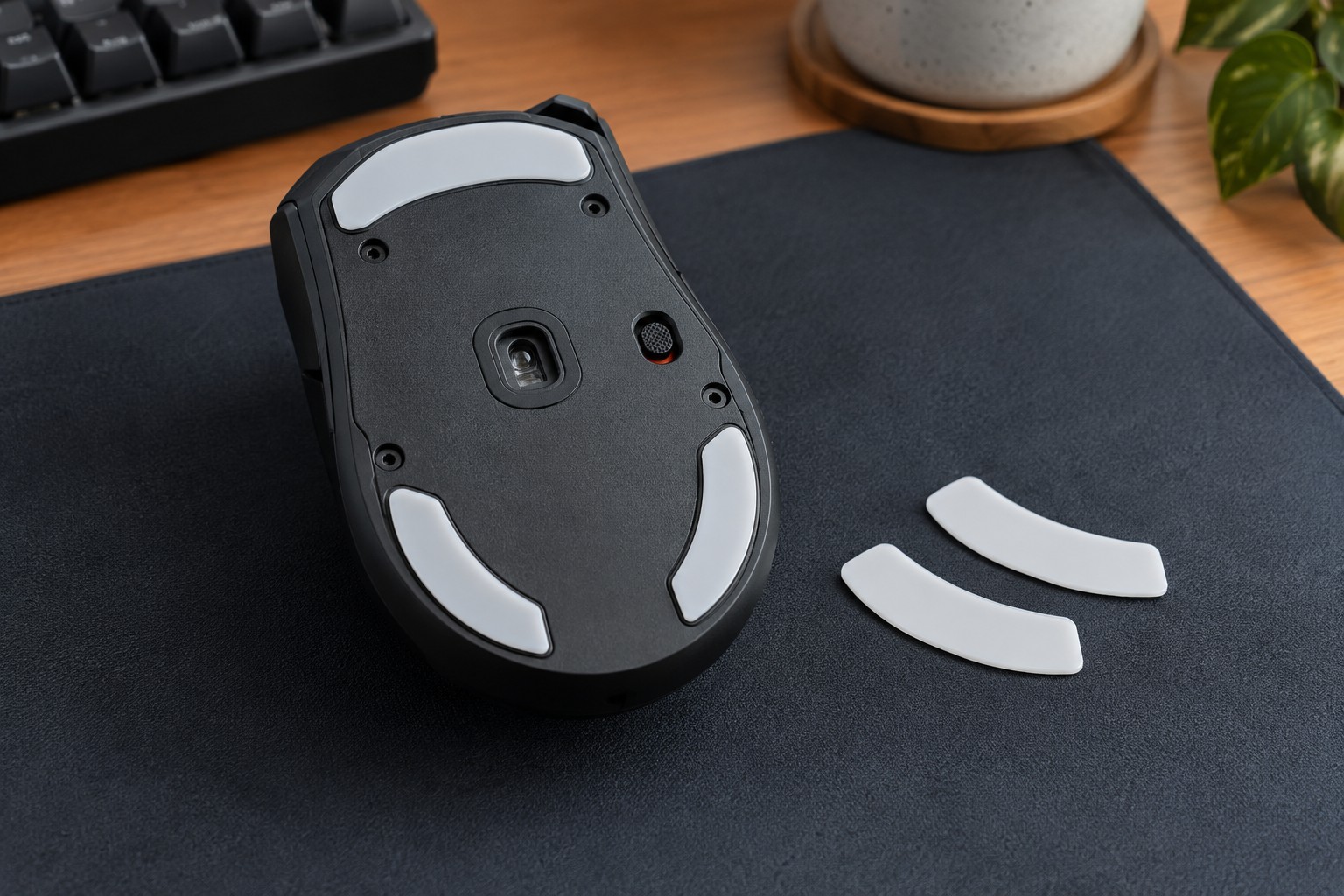
Turn the disconnected mouse over on a clean surface and inspect the feet. Look for peeling edges, uneven wear or trapped debris. A scratchy feeling can also come from a dirty pad, so clean the surface according to its instructions before ordering parts. If the mouse rocks, check whether a foot is missing rather than assuming that every foot needs a different material.
Find the complete model name and revision. Similar shells can use different foot outlines or a different sensor-ring arrangement. Compare the replacement listing with a clear photograph of your mouse's underside. A generic statement such as fits gaming mice is not enough for a shaped adhesive part.
Check the full replacement set
Determine whether the set includes all main feet and any smaller ring or corner pieces used by the original design. Read whether the manufacturer expects every existing layer to be removed. Stacking a replacement on an old foot changes the height and can affect tracking or stability; it is not a substitute for following the installation instructions.
Thickness is especially worth checking when a seller offers several versions. The sensor is designed to work at a particular relationship to the surface, and changing the feet can alter that relationship. Avoid assuming that a thicker set is more durable in a way that makes it automatically compatible.
Some feet cover screws, so replacement may affect future access for an approved repair. Keep unused pieces labeled with the model rather than loose in a drawer. If opening the mouse is unnecessary for the replacement, do not turn a simple exterior task into a dismantling project.
Install without improvising the adhesive
Work with the mouse powered off and disconnected. Follow the replacement maker's removal and surface-preparation instructions, including any restrictions on solvents or heat. A cleaner suitable for one plastic or coating may damage another. Do not scrape the housing with a metal blade or apply household glue to compensate for an incorrect shape.
Before pressing a new foot down firmly, compare its orientation with the recess. Check for a protective film on the sliding surface as well as the adhesive backing. Once fitted, let any specified adhesive settling period pass before testing. A loose edge that catches on the pad should be investigated instead of pressed repeatedly while playing.
Test ordinary movement on a clean familiar pad with unchanged sensitivity. New feet may feel different, so distinguish a change in glide from actual tracking failure. If the mouse becomes uneven or stops registering correctly, recheck fit and installation rather than immediately adjusting every sensor setting.